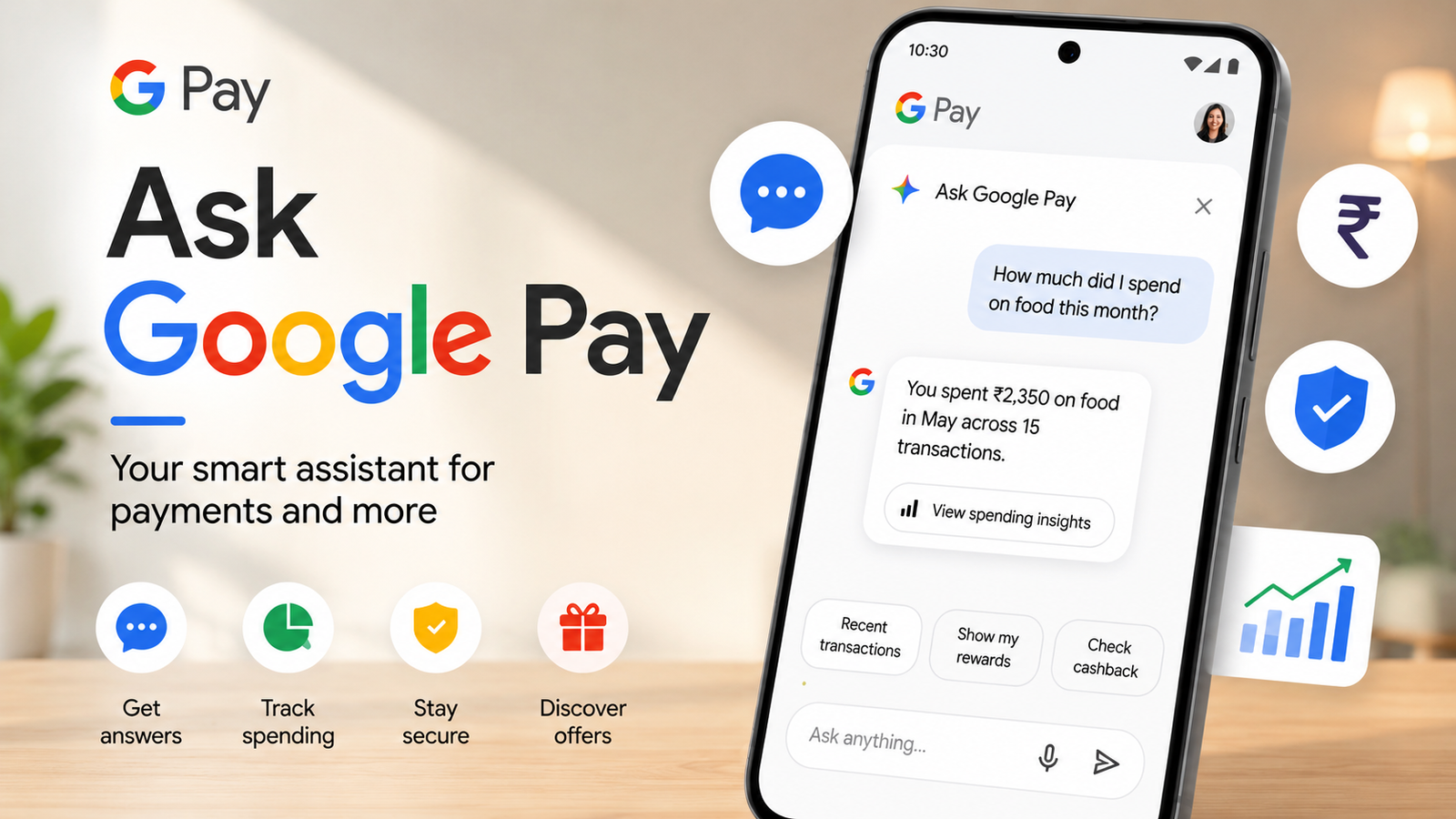
Managing everyday expenses can become difficult when you have to go through dozens of UPI transactions just to understand where your money went. Google is addressing this problem in India with Ask Google Pay, an AI-powered feature built into the Google Pay app.
Powered by Google’s Gemini technology, Ask Google Pay is designed to make financial information easier to understand. Instead of manually checking your transaction history, you can ask questions in normal language and get responses based on your available Google Pay data.
From checking monthly expenses to learning basic financial concepts, the feature aims to make personal finance management simpler for users.
Also read: How to Share a Twitch Link With Friends and Followers
What Exactly Is Ask Google Pay?
Ask Google Pay is an AI-based financial assistant available within the Google Pay application. It allows eligible users to interact with their financial information through text or voice questions.
After the required personalization settings are enabled, the assistant can use your Google Pay transaction history to provide spending-related insights.
For example, rather than manually calculating how much you spent on food during the previous month, you can simply ask the assistant. It can then present the information in an easier-to-understand format.
The feature is particularly useful for people who want a quick overview of their spending without maintaining separate records.
What Can Ask Google Pay Do?
The assistant is designed around everyday financial questions and spending analysis. Depending on the information available to your account, it can provide several types of insights.
Analyze Your Spending
Ask Google Pay can help you understand your transaction patterns by reviewing your available payment history.
You can ask questions about your expenses over a particular period and get a summarized view instead of checking individual transactions.
Break Down Expenses
The assistant can organize spending information into categories, making it easier to identify areas where you are spending more.
For instance, you may be able to ask about your spending on groceries, food, shopping, or other categories.
Create Spending Summaries
Instead of looking at a long list of transactions, Ask Google Pay can provide summarized information about your expenses.
This can make it easier to compare spending across different periods and recognize changes in your habits.
Understand Financial Terms
The feature isn’t limited to transaction analysis. You can also use it to learn about common financial concepts.
Topics such as SIPs, compound interest, credit scores, and tax regimes can be explained in simpler language.
Use Voice or Text
Users can interact with the assistant by typing questions or using voice input. This makes the feature convenient when you don’t want to type a detailed question.
Support for Indian Languages
Ask Google Pay is designed for Indian users and supports 10 Indian languages, allowing people to interact with the feature in languages they are more comfortable using.
What Questions Can You Ask?
One of the main advantages of an AI assistant is that you don’t have to use complicated commands. You can ask questions naturally, just as you would ask another person.
Here are some examples:
- How much did I spend last month?
- How much did I spend on groceries?
- Show me my UPI spending from last week.
- Explain compound interest in simple language.
- What is the difference between the old and new tax regimes?
- Which areas am I spending the most money on?
The response can depend on the transaction information and permissions available to Google Pay.
How to Turn On Ask Google Pay
If the feature is available for your account, you may need to enable personalization before using it.
Here’s how you can check the relevant setting:
- Open Google Pay on your phone.
- Tap You at the bottom of the screen.
- Open Settings.
- Go to Privacy & Security.
- Select Data & Personalisation.
- Turn on Personalisation if it is disabled.
After enabling the required setting, the feature may become available once it has been rolled out to your account.
How to Use Ask Google Pay
Once Ask Google Pay is available, accessing it is relatively simple.
Follow these steps:
- Open the Google Pay app.
- Go to the Money section.
- Find the Ask About Your Finances option.
- Tap Ask a Question.
- Enter your question using text or voice.
- Review the response provided by the AI assistant.
You can ask follow-up questions to explore your spending information further.
Is Your Financial Information Safe?
Privacy is an important consideration when using any feature that works with financial information.
Ask Google Pay requires relevant permissions and personalization settings before it can provide personalized insights from your transaction information. Users should review the available privacy controls and understand what information they are allowing the feature to use.
It’s also worth remembering that an AI-generated response should be treated as informational. For important financial decisions, users should verify information through reliable sources or qualified professionals rather than relying solely on an AI response.
Does Ask Google Pay Cost Money?
Ask Google Pay is offered as a feature within Google Pay and does not require a separate subscription fee.
However, availability can depend on eligibility and Google’s rollout. If you don’t see the feature on your device, it doesn’t necessarily mean that something is wrong with your Google Pay account.
Why Is Ask Google Pay Not Showing?
Google may make new features available gradually rather than releasing them to every user at the same time.
If Ask Google Pay isn’t appearing in your app, try these basic steps:
- Update Google Pay through the official app store.
- Check whether Personalisation is enabled.
- Make sure you’re using an eligible account.
- Wait for the feature to become available in your region or account.
If everything is enabled but the option is still missing, the feature may simply not have reached your account yet.
What Makes Ask Google Pay Useful?
The biggest advantage is convenience. Financial information can often be difficult to understand when it is spread across numerous individual transactions.
Ask Google Pay attempts to simplify that process by allowing users to ask questions conversationally.
For example, someone trying to reduce unnecessary spending could ask about their recent expenses and use the resulting information to identify patterns. Similarly, someone learning about financial terms can ask the assistant for simpler explanations without searching for every term separately.
However, users should still verify important financial information before making decisions involving money, investments, taxes, or credit.
Frequently Asked Questions
What is Ask Google Pay?
Ask Google Pay is an AI-powered assistant inside Google Pay that helps eligible users understand their spending and explore financial topics through natural-language questions.
Can I ask about my UPI spending?
Yes, the feature is designed to provide spending-related insights using available Google Pay transaction information when the required permissions and settings are enabled.
Does it support voice questions?
Yes, Ask Google Pay supports both text and voice-based interactions.
How many languages are supported?
The feature supports 10 Indian languages, making it more accessible to users across India.
Is Ask Google Pay available to everyone?
Availability can depend on Google’s rollout and account eligibility. Some users may receive the feature before others.
Do I need to pay separately for it?
No separate subscription is required to use Ask Google Pay.
Final Verdict
Ask Google Pay brings AI-powered financial assistance directly into the Google Pay experience. Its ability to answer spending-related questions, summarize transactions, explain financial concepts, and support multiple Indian languages makes it a useful addition for eligible users.
If you frequently use Google Pay for UPI payments, the feature can provide a simpler way to understand your spending without manually checking every transaction.
Just remember that AI-generated financial information should be used as a helpful starting point, not as a substitute for professional financial advice.