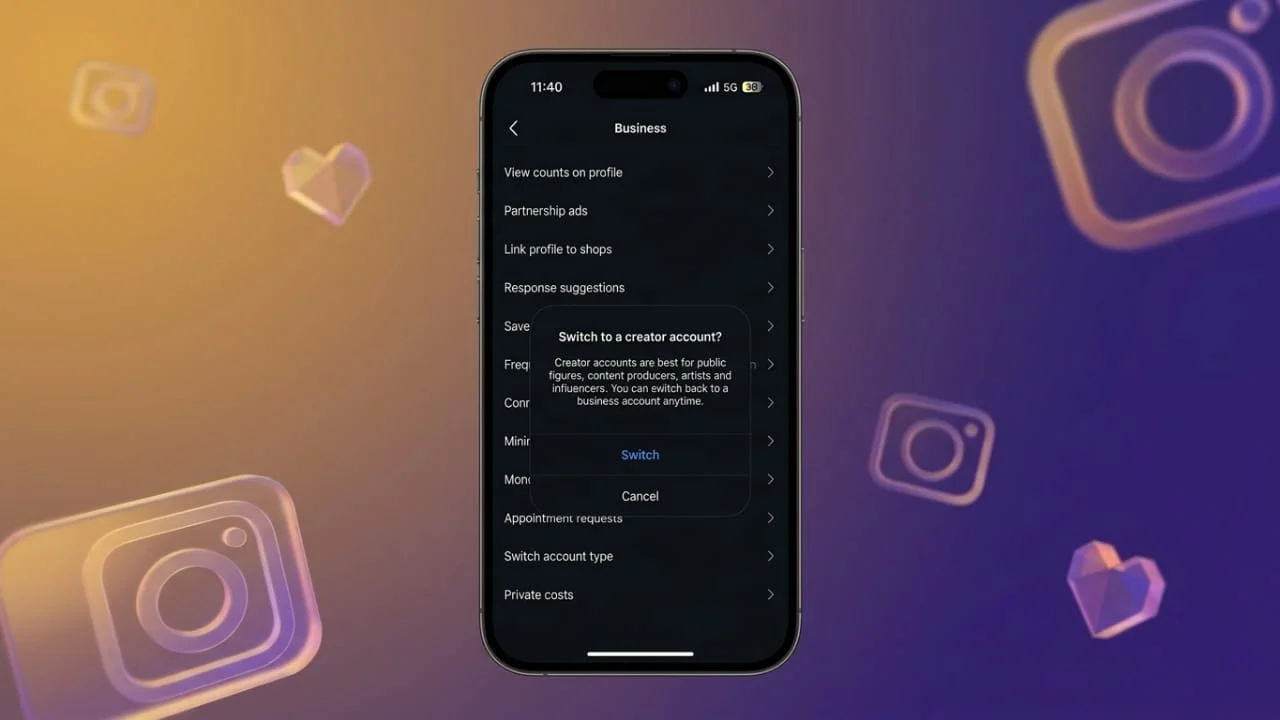
Instagram offers different account types for different needs. A Business account is useful for brands, companies, and creators who want access to professional tools such as insights, promotions, and contact options. However, if you no longer use these features, you may prefer to return to a Personal account.
The good thing is that you don’t need to create a new Instagram profile. You can change the account type directly from Instagram’s settings while keeping your existing profile, posts, followers, and messages.
In this guide, we’ll explain how to switch an Instagram Business account to a Personal account, what happens after making the change, and whether you can switch back later.
Also read: Ask Google Pay: How to Use the AI Finance Assistant, Features, Languages and More
Why Switch From a Business Account to a Personal Account?
Not everyone needs Instagram’s professional features. If you’re mainly using the platform to share photos, videos, Stories, and Reels with friends or followers, a Personal account may be more suitable.
Some common reasons for making the switch include:
- You don’t use Instagram Insights or analytics.
- You no longer need advertising or promotion tools.
- You want a simpler Instagram interface.
- You want to make your account private.
- You don’t need business contact information on your profile.
- You are no longer using Instagram for business purposes.
Switching account types doesn’t mean deleting your profile. It simply removes access to certain professional features.
What Happens When You Switch to a Personal Account?
Before changing your account type, it’s important to understand what will and won’t be affected.
Your basic Instagram content remains connected to your account. Your photos, videos, Reels, followers, following list, username, and direct messages aren’t normally removed just because you change the account type.
However, professional features associated with your Business account will no longer be available.
You may lose access to features such as:
- Professional insights and analytics
- Advertising and promotion tools
- Professional dashboard
- Business-related contact options
- Certain professional account tools
If you rely on Instagram analytics for your business, consider saving any information you may need before switching.
How to Change an Instagram Business Account to Personal
Instagram’s menu names can vary slightly depending on the app version and device. If you don’t see an option in exactly the same place, look for Account type, Business tools and controls, or similar professional-account settings.
Method 1: Using the Professional Dashboard
You can try changing the account type through the professional section of Instagram.
- Open the Instagram app.
- Go to your profile.
- Tap Professional Dashboard.
- Look for the settings or account-management option.
- Select Switch account type.
- Tap Switch to personal account.
- Confirm the change when Instagram asks.
Once the change is confirmed, your profile will become a Personal account.
Method 2: Through Instagram Settings
If the option isn’t visible in the Professional Dashboard, you can check the account settings.
- Open Instagram and visit your profile.
- Tap the three-line menu (☰) in the top-right corner.
- Open Settings and activity.
- Look for the For professionals section.
- Select the option related to your Business tools and controls or Account type.
- Tap Switch account type.
- Choose Switch to personal account.
- Confirm your selection.
Instagram may display a message explaining which professional features you’ll lose. Review it and confirm if you’re ready to continue.
Can You Make a Personal Account Private?
Yes. One reason some users switch away from a Business account is that they want more control over who can see their content.
After switching to a Personal account, you can open your privacy settings and enable Private account if the option is available for your profile.
With a private account, people generally need your approval before they can follow you and view your posts and other content intended for followers.
This can be particularly useful if you’re using Instagram primarily for personal sharing rather than promoting a business.
What You Will Lose After Switching
The biggest change is the removal of professional features.
Instagram Insights
Business accounts provide analytics about content performance and audience activity. After switching to a Personal account, professional insights may no longer be available.
Promotions and Advertising
Business profiles can use Instagram’s promotional tools to advertise posts and reach a wider audience. These professional advertising features won’t work in the same way after switching to a Personal account.
Professional Dashboard
The Professional Dashboard is designed to provide access to business and creator-related tools. It may no longer appear after changing your account to Personal.
Business Contact Features
Some business-oriented contact options and profile tools may disappear when you return to a Personal account.
What You Don’t Need to Worry About
Changing your account type is different from deleting your Instagram account.
You generally don’t need to create another profile or start building your audience again. Your existing profile remains in place.
The following information generally stays with your account:
- Followers
- Following list
- Instagram username
- Profile information
- Existing posts
- Reels
- Stories and saved content where applicable
- Direct messages
The main difference is the type of tools available to you.
Can You Switch Back to a Business Account?
Yes. If you decide that you need professional tools again, you can change your Personal account back to a professional account through Instagram’s account settings.
This can be useful if you later start a business, begin promoting products, or want access to analytics and promotional features.
You don’t have to create a completely new Instagram account just because your needs change.
Personal vs. Business Account
| Feature | Personal Account | Business Account |
|---|---|---|
| Personal use | Yes | Yes |
| Professional insights | No | Yes |
| Advertising tools | Limited/No | Yes |
| Professional dashboard | No | Yes |
| Business contact options | Limited | Yes |
| Private account | Yes | No |
| Business-focused tools | No | Yes |
| Existing followers | Retained | Retained |
Instagram features can change over time, and availability may depend on your account, region, or app version.
Things to Check Before Switching
If you’re using your Business account for professional purposes, don’t switch immediately without checking what you need.
Consider saving important analytics or performance information first. If you’re running advertisements or using other Meta business tools, review any active campaigns or connected services as well.
For a personal profile that no longer needs business features, however, the switch is generally straightforward.
Final Thoughts
Changing an Instagram Business account back to a Personal account is a simple way to remove professional features you no longer need. The process can usually be completed from Instagram’s account settings in just a few steps.
Your profile doesn’t need to be deleted, and you don’t have to start over with a new account. Your followers and existing content remain associated with your profile, while business-focused tools such as professional insights and promotions are removed.
If your Instagram usage has changed from business or marketing to personal sharing, switching to a Personal account can give you a simpler experience. And if you need professional features again later, you can switch back to a professional account.