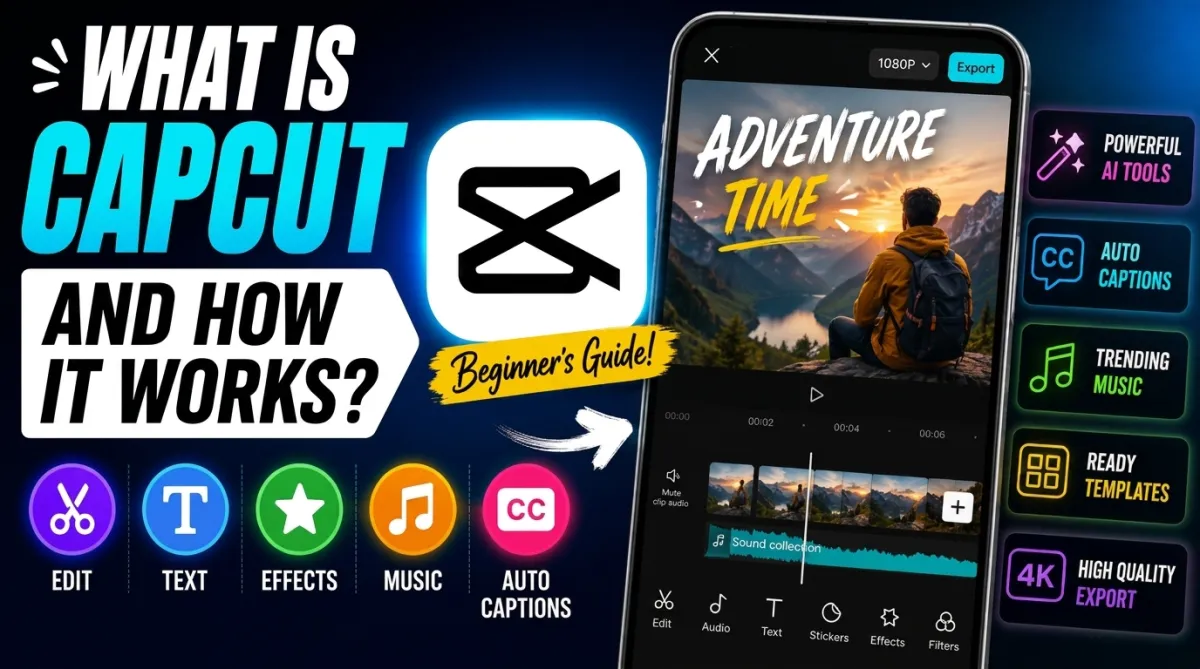
Video content is growing faster than ever on platforms like YouTube, Instagram, and TikTok. Because of this, many creators are searching for simple editing apps that can help them create professional videos without spending hours learning complex software.
One of the most popular apps for this purpose is CapCut. It has become a favorite choice for beginners, influencers, and even professional creators because of its easy interface and powerful editing tools.
But what exactly is CapCut, and how does it work?
In this article, you’ll learn everything about CapCut, including its features, working process, benefits, and why millions of people use it for video editing.
What is CapCut?
CapCut is a free video editing application developed by ByteDance, the same company behind TikTok.
It allows users to create, edit, and enhance videos directly from their smartphone or computer. CapCut offers a wide range of editing tools, including trimming, transitions, filters, text effects, AI features, and music integration.
The app became extremely popular because it combines beginner-friendly editing with advanced creative tools.
Today, CapCut is widely used for:
- YouTube Shorts
- Instagram Reels
- TikTok videos
- Vlogs
- Gaming clips
- Educational content
- Business promotions
One of the biggest advantages of CapCut is that many of its powerful features are available for free.
How Does CapCut Work?
CapCut works by allowing users to import video clips, edit them using different tools, and then export the final video in high quality.
The editing process is simple and easy to understand, even for beginners.
Step 1: Import Your Video
First, users upload videos or photos into the CapCut editor. You can import files from:
- Mobile gallery
- Computer storage
- Cloud storage
- Camera recordings
Once uploaded, the clips appear on the editing timeline.
Step 2: Edit the Clips
CapCut provides a timeline-based editing system where users can:
- Trim unnecessary parts
- Split video sections
- Rearrange clips
- Adjust speed
- Add transitions
This timeline system helps creators edit videos smoothly and professionally.
Step 3: Add Effects and Music
One of CapCut’s strongest features is its large collection of:
- Filters
- Visual effects
- Animations
- Stickers
- Sound effects
- Copyright-free music
Users can also add voiceovers and subtitles easily.
Step 4: Use AI Features
CapCut includes several AI-powered tools that make editing faster.
Popular AI features include:
- Auto captions
- Background removal
- AI voice generation
- Motion tracking
- Auto beat sync
- AI video enhancement
These tools help creators save time while improving video quality.
Step 5: Export the Video
After editing, users can export videos in different resolutions, including:
- 720p
- 1080p
- 2K
- 4K
The final video can then be uploaded directly to social media platforms.
Top Features of CapCut
CapCut offers many powerful features that make it one of the best free editing apps.
Easy-to-Use Interface
The app is designed for beginners. Even users with no editing experience can learn it quickly.
AI Editing Tools
AI features automate complicated editing tasks and improve workflow speed.
Free Music Library
CapCut includes a large collection of music tracks and sound effects for creators.
Auto Captions
This feature automatically generates subtitles, which is very useful for social media videos.
High-Quality Export
Users can export videos in HD and 4K quality without major quality loss.
Templates
CapCut provides ready-made templates that allow users to create trending videos quickly.
Why is CapCut So Popular?
CapCut became popular because it makes professional video editing accessible to everyone.
Here are some reasons why creators love it:
- Free to use
- Beginner-friendly
- Powerful AI tools
- Mobile and desktop support
- Fast editing workflow
- Perfect for short-form videos
Many TikTok and Instagram creators use CapCut because it helps them create trendy videos quickly.
Is CapCut Good for Beginners?
Yes, CapCut is one of the best video editing apps for beginners.
Unlike complex software such as Adobe Premiere Pro, CapCut focuses on simplicity. Its drag-and-drop editing system makes learning very easy.
Even first-time users can:
- Cut videos
- Add music
- Apply transitions
- Create subtitles
- Export professional-looking content
This simplicity is one of the main reasons for its massive popularity.
Advantages and Disadvantages of CapCut
Advantages
- Free editing tools
- Easy interface
- AI-powered features
- High-quality exports
- Huge effects library
Disadvantages
- Some advanced features require internet access
- Professional editors may need more advanced controls
- Certain premium features are paid
Tips for Using CapCut Better
Keep Videos Short
Short videos usually perform better on social media platforms.
Use Captions
Adding subtitles improves engagement and watch time.
Avoid Too Many Effects
Using too many transitions or filters can make videos look messy.
Use Trending Sounds
Trending audio can help improve reach on TikTok and Instagram.
Export in High Quality
Always export videos in at least 1080p for better results.
Conclusion
CapCut is one of the best free video editing apps available today. It combines powerful editing tools with a simple interface, making it perfect for beginners and content creators.
Whether you want to create TikTok videos, Instagram Reels, YouTube Shorts, or professional content, CapCut provides everything needed to edit videos quickly and efficiently.
Its AI-powered tools, templates, and easy editing system have made it one of the most popular editing apps in the world.
If you are starting your content creation journey, CapCut is definitely worth trying.
FAQs
Is CapCut free to use?
Yes, CapCut offers many free editing features for both mobile and desktop users.
Who owns CapCut?
CapCut is owned by ByteDance, the company behind TikTok.
Can beginners use CapCut easily?
Yes, CapCut is designed to be beginner-friendly and simple to learn.
Does CapCut support 4K export?
Yes, users can export videos in 4K quality.
Is CapCut available for PC?
Yes, CapCut is available for both smartphones and desktop computers.
What is CapCut mainly used for?
CapCut is mainly used for editing short-form videos like TikTok, Instagram Reels, and YouTube Shorts.