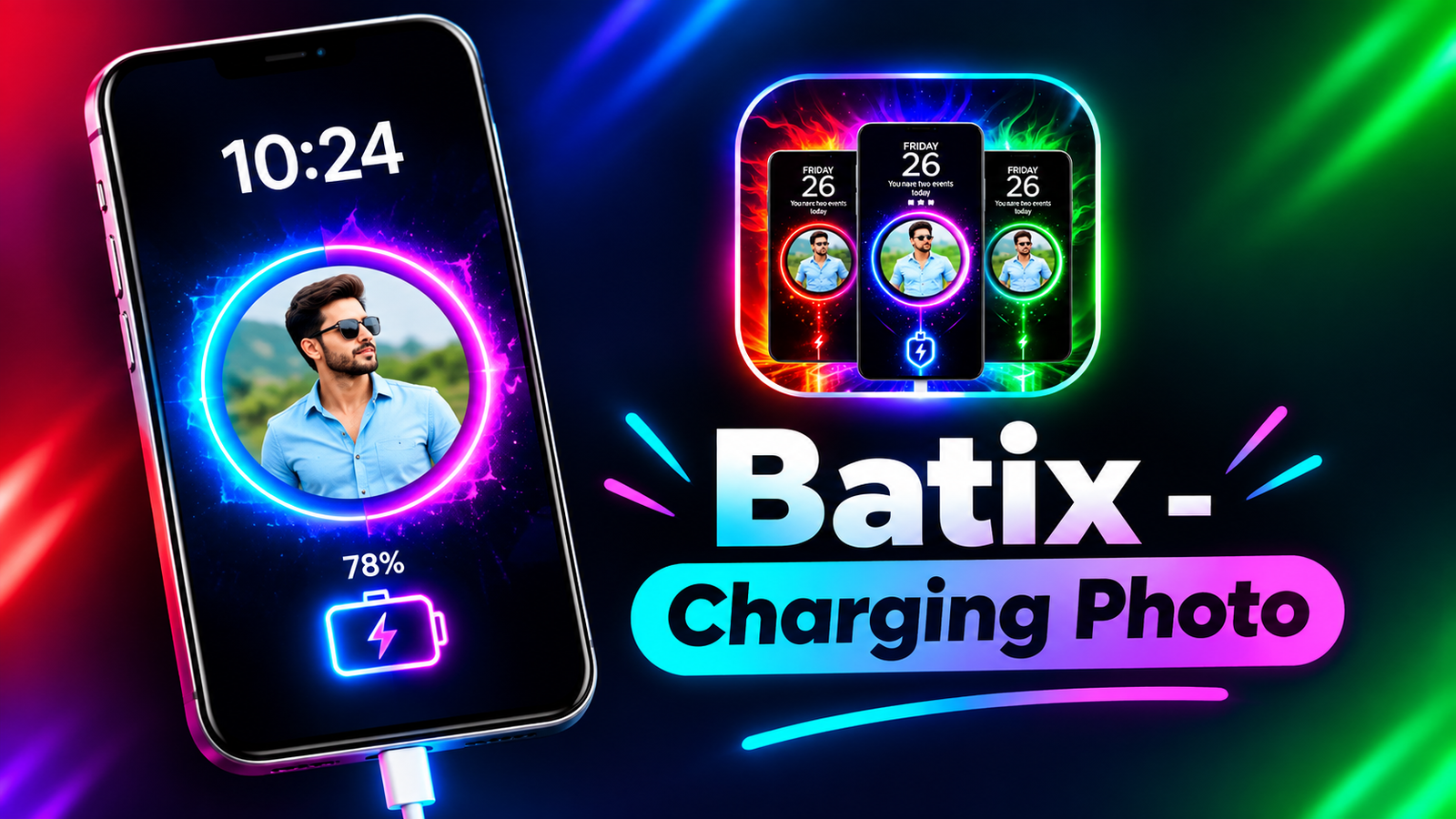
Android smartphones offer plenty of customization options, from stylish wallpapers and custom icons to personalized lock screens. But if you want to give your phone a more creative appearance, you can also customize what appears when you connect your charger.
Batix – Charging Photo is an Android app designed to make charging screens more attractive with personal photos, animated effects, and colorful themes. It allows users to replace the ordinary charging display with a personalized visual experience.
In this article, we’ll explore the main features of Batix, how it works, its customization options, and the things you should know before installing it.
Also read: How to Turn Your iPhone or Android Phone Into a Mobile Hotspot
What Is Batix – Charging Photo?
Batix – Charging Photo is a smartphone customization application that lets Android users personalize their charging screens. Instead of relying on the standard charging indicator, users can choose different visual styles, add pictures, and apply animated effects.
The app is designed primarily for people who enjoy customizing their smartphones and want something different from the default charging interface.
Its main features include:
- Custom photo-based charging screens
- Animated charging effects
- Neon and RGB-inspired themes
- Personalized visual designs
- Charging-related battery information
The available options may vary depending on the installed app version and device compatibility.
Add Your Favorite Photos to the Charging Screen
One of the interesting features of Batix is the ability to use images from your phone’s gallery.
You can select a personal photograph and use it as part of your customized charging display. This gives you an opportunity to make the charging screen more personal instead of using a standard design.
For example, you can use:
- Your favorite selfies or portraits
- Family and friends’ photographs
- Pictures of your pets
- Travel and vacation memories
- Other images saved on your smartphone
Depending on the available customization options, you can combine your chosen picture with different visual effects to create a charging screen that matches your style.
Explore Stylish Charging Themes
Batix also offers charging themes for users who prefer ready-made designs rather than creating everything manually.
These themes can include colorful visuals, modern graphics, and different animation styles.
Some popular design styles may include:
Neon Themes: Bright visual elements and glowing effects that give the charging screen a modern appearance.
RGB-Inspired Designs: Colorful lighting effects suitable for users who enjoy gaming-inspired smartphone customization.
Futuristic Themes: Technology-inspired graphics and dynamic visuals for a more modern charging display.
Abstract Designs: Creative patterns and colorful animations for users who prefer artistic backgrounds.
The appearance of these themes can vary based on the selected design and your phone’s display.
Make Charging More Interesting With Animated Effects
A regular charging screen usually displays a battery icon and charging percentage. Batix adds a creative element by offering animated visuals that can appear when the phone is connected to power.
Depending on the available effects, users may be able to explore:
- Animated battery indicators
- Energy-inspired visual effects
- Neon lighting animations
- Dynamic charging graphics
- Colorful motion effects
These animations are mainly intended to improve the appearance of the charging screen. They do not change the actual charging process or the hardware capabilities of your phone.
View Battery Information While Charging
Apart from its visual customization features, Batix may also provide basic charging information on the screen.
Depending on the app version and device support, this information can include the current battery percentage, charging status, or other battery-related details.
Having this information visible can make it easier to check your phone’s charging progress without navigating through the Settings app.
However, charging estimates and battery information may depend on the device and the data available to the application.
How to Set Up Batix on Android
Getting started with a charging screen customization app is generally straightforward. You don’t need advanced technical knowledge to explore its basic features.
Follow these steps:
- Install Batix – Charging Photo from the Google Play Store, if available for your device.
- Open the application and explore its available features.
- Select a charging theme or choose a personal photo from your gallery.
- Customize the appearance using the available animations and visual effects.
- Enable the charging screen feature and grant only the necessary permissions.
Once configured, the customized screen may appear when you connect your phone to a charger, depending on the app’s functionality and your device’s settings.
The exact setup process may differ between Android devices.
Is Batix Suitable for Everyday Android Users?
Batix is aimed at users who want to personalize their phones without making complicated system changes.
Its visual customization options may appeal to several types of users:
- Android enthusiasts who enjoy customizing their devices
- Mobile gamers who prefer colorful RGB-inspired designs
- Social media users who like attractive smartphone interfaces
- Users who want to display personal photographs while charging
- People who enjoy animated wallpapers and creative themes
The app is primarily intended for visual personalization rather than advanced battery management or system optimization.
Performance and Battery Usage
Before using animated charging screens, it is worth considering their potential impact on your device.
Displaying animations and keeping the screen active can consume additional power. The actual impact depends on your phone’s hardware, screen settings, animation complexity, and how long the display remains on.
For a more comfortable experience, consider these tips:
- Choose simpler animations if your phone is older.
- Avoid keeping the screen active unnecessarily.
- Review any available display timeout settings.
- Monitor battery usage if you notice unexpected changes.
A charging animation app does not automatically make charging faster or improve battery health.
Privacy and Safety Considerations
Since Batix works with personal images and device features, it is important to review its permissions before installation.
Depending on the features you use, the app may request access to photos, media files, or certain display-related permissions.
Before installing it, follow these precautions:
- Download the app from the official Google Play Store listing, if available.
- Review the permissions requested by the application.
- Read recent user reviews and check the developer information.
- Avoid granting permissions that are unrelated to the features you use.
You should also avoid downloading modified or unofficial APK files from unfamiliar websites.
Things to Know Before Using Charging Animation Apps
Charging customization apps are designed to change the appearance of your smartphone while it charges. They should not be confused with applications that manage battery health or control charging hardware.
Batix cannot independently increase your phone’s charging speed, expand its battery capacity, or guarantee longer battery life.
Similarly, animated effects do not upgrade your phone’s hardware or improve its overall performance.
The main benefit is a more personalized charging display.
Final Thoughts
Batix – Charging Photo offers Android users a creative way to customize their charging screens using personal photographs, animated effects, and colorful themes. Its combination of photo-based designs and charging animations makes it an interesting option for people who enjoy smartphone personalization.
Whether you prefer neon visuals, RGB-inspired effects, or a favorite picture on your charging screen, the app provides a different way to make your Android device feel more personal.
Before installing it, check the latest app features, compatibility, permissions, and user reviews. If you’re looking for a visual upgrade rather than a battery optimization tool, Batix may be worth exploring for your Android customization needs.
1 thought on “Batix Charging Photo App: Customize Your Android Charging Screen With Photos and Animations”