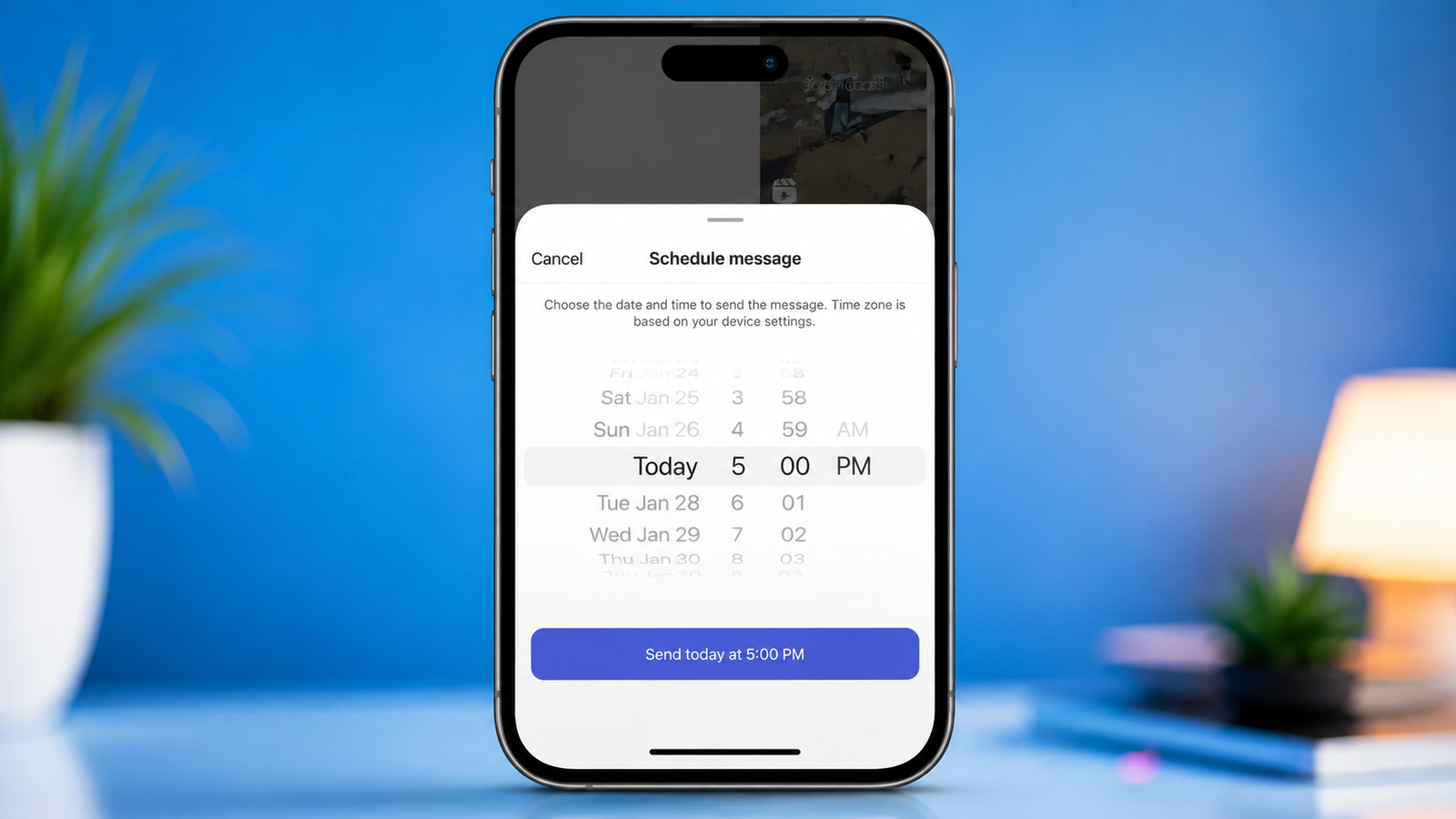
Sometimes you know exactly what you want to say but don’t want to send the message immediately. Maybe it’s a birthday wish, an important reminder, or a message you want to deliver at a particular time. Instagram’s scheduled message feature can help in these situations by allowing you to prepare a DM in advance and choose when it should be sent.
Instead of setting a separate reminder and coming back to the conversation later, you can schedule the message directly from an Instagram chat. You can also review scheduled messages and manage them before they are delivered.
Also read: How to Tag People on Instagram Posts: An Easy Guide for Beginners
What Is Instagram Message Scheduling?
Instagram allows users to schedule certain text messages inside Direct Messages. Rather than sending the message instantly, you select a future date and time, and Instagram sends it automatically at the scheduled time.
The feature can be useful for both personal conversations and regular communication with followers. However, the exact options and interface may vary depending on your Instagram app version and device.
Before trying the feature, make sure Instagram is updated to the latest available version.
Schedule a DM in Advance
The scheduling option is available directly from the message composer in supported Instagram chats. You don’t need to create a separate reminder or use another application.
Here’s how to schedule a message:
- Launch the Instagram app on your phone.
- Open Direct Messages and select the conversation where you want to send the message.
- Type your message in the chat box as you normally would.
- Instead of tapping Send, press and hold the Send button.
- If scheduling is available for the conversation, Instagram will display the scheduling option.
- Select the date and time when you want the message to be delivered.
- Confirm the selected schedule.
After the process is completed, Instagram will keep the message in the conversation until the chosen delivery time.
If you need to schedule another message, you can repeat the same process.
Where to Find Your Scheduled DMs
Once you have scheduled a message, you may want to check whether the correct date and time have been selected. Instagram provides a way to access messages that are waiting to be delivered.
Open the same conversation where you created the scheduled message. A scheduled-message indicator should appear in the chat when there are messages waiting to be sent.
Tap the indicator to view the scheduled messages. From there, you can check the message content and its planned delivery time.
This is particularly useful if you have scheduled multiple messages and want to make sure everything is set correctly.
Send a Scheduled Message Before Its Time
You don’t always have to wait for the scheduled time. If you decide that the recipient should receive the message immediately, you can send it early when the option is available.
To do this, open the scheduled-message section in the relevant conversation. Press and hold the scheduled message and look for Send Now.
Select the option to send the message immediately. Instagram will then deliver it instead of waiting for the original schedule.
This can be handy when plans change or when the information in your message becomes relevant sooner than expected.
Remove a Message You No Longer Want to Send
Changed your mind? You can remove a scheduled message before its delivery time.
Follow these steps:
- Open the Instagram conversation containing the scheduled message.
- Tap the area showing your scheduled messages.
- Press and hold the message you want to remove.
- Select Delete when the available options appear.
- Confirm the action if Instagram asks you to do so.
If you need to change the wording and your version of Instagram doesn’t provide an edit option, deleting the scheduled message and creating a new one is a straightforward workaround.
When Is Scheduling Instagram Messages Useful?
You don’t have to manage a business account to benefit from scheduled DMs. The feature can be useful for ordinary day-to-day communication as well.
Birthday and Special-Day Wishes
If you don’t want to forget an important date, you can prepare a message ahead of time and schedule it for the appropriate moment.
Important Reminders
A scheduled DM can be useful when you need to remind someone about an event, appointment, meeting, or another planned activity.
Communication With Followers
People who regularly communicate with followers may find scheduling useful for planning messages without having to remember to send them manually.
Better Time Management
Preparing messages in advance can save time when you already know what you want to say. Instead of interrupting your work later, you can write the message and schedule it beforehand.
Review Everything Before Scheduling
A scheduled message will be sent according to the details you select, so take a moment to review it before confirming.
Check the recipient, wording, names, dates, and time carefully. A small mistake can become confusing if you don’t notice it before the message is delivered.
This is especially important for messages involving birthdays, reminders, announcements, or other time-sensitive information.
It can also help to write longer messages in advance and read them once before scheduling. This gives you a chance to correct spelling mistakes or remove anything you didn’t intend to include.
What to Do If the Scheduling Option Is Missing
If you don’t see the option to schedule a message, first check whether your Instagram app is updated. You can also close and reopen the app and try again.
Keep in mind that Instagram features can change over time, and some options may not appear in every account, conversation, or app version. If the feature isn’t available to you, you may need to wait until it becomes available for your account.
Avoid relying on unofficial apps or services that ask for your Instagram login details simply to schedule messages. Using Instagram’s built-in features is the safer approach.
Final Thoughts
Scheduling Instagram DMs can make everyday communication a little easier. Instead of remembering to send a message later, you can prepare it in advance and let Instagram handle the delivery at the selected time.
Whether you’re planning a birthday wish, sending a reminder, or staying in touch with followers, the feature gives you more control over when your messages are delivered.
Before scheduling anything, double-check the message and delivery time. If your plans change, you can also review your scheduled messages and use the available options to send or remove them before delivery.