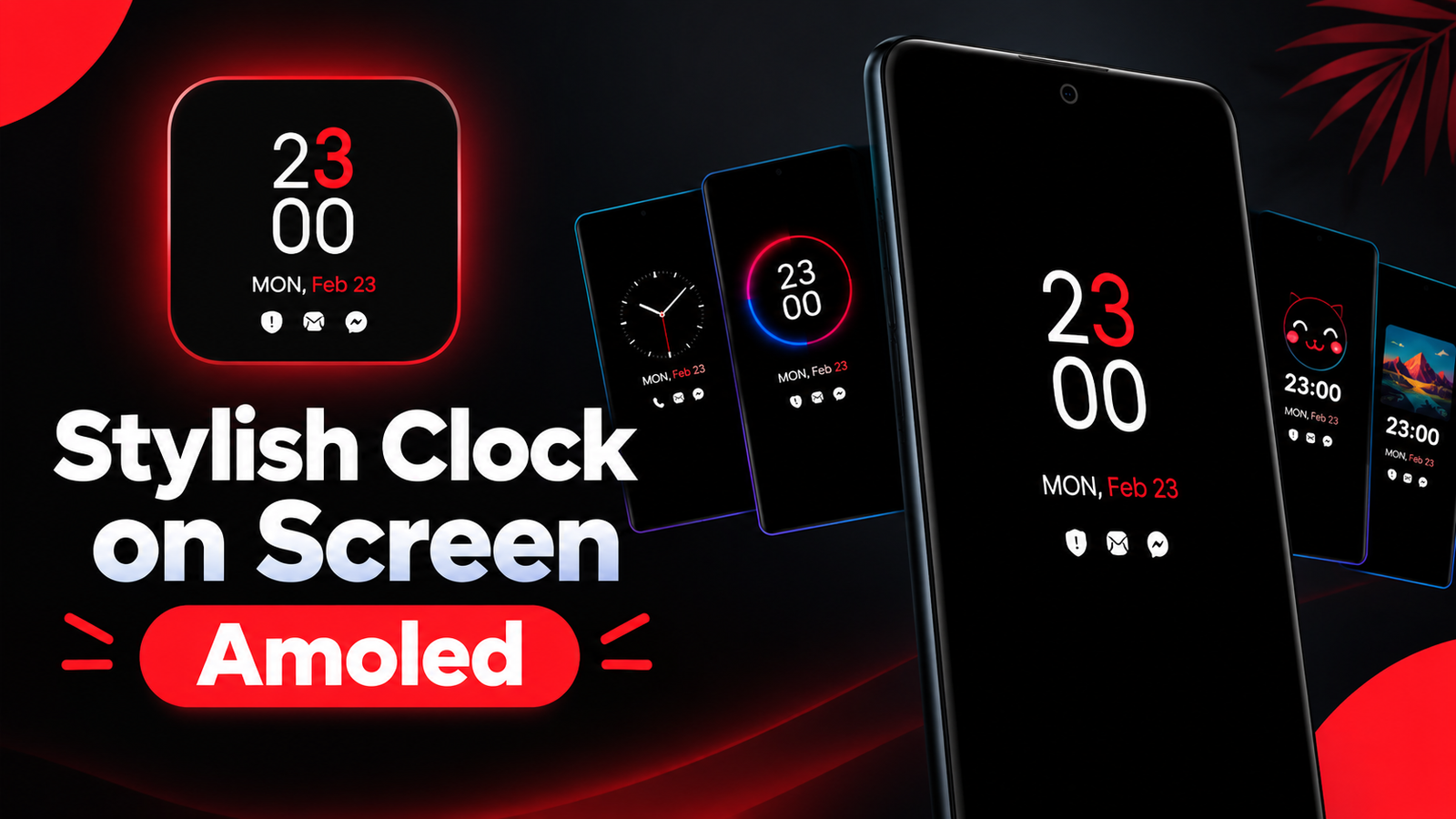
Checking the time on a smartphone usually requires waking up the screen or unlocking the device. However, an Always On Display (AOD) feature can make this process more convenient by showing essential information even when the phone is not actively in use.
For Android users who enjoy customizing their smartphones, Always On Display Clock Widget offers a range of clock designs and personalization options. The app allows users to display clocks, dates, battery information, and notifications while giving their lock screen a more attractive appearance.
In this article, we will explore the app’s main features, customization options, display styles, and battery considerations.
Also read: WallZone: Live Wallpaper 4K – Customize Your Android With Stunning Animated Wallpapers
What Is Always On Display Clock Widget?
Always On Display Clock Widget is an Android customization application designed to display a clock and selected information on the phone’s screen when it is idle.
Instead of turning on the entire display whenever you want to check the time, the app provides an always-on-style interface with essential information.
It is particularly relevant for users with AMOLED smartphones, where individual pixels can be illuminated independently. This allows compatible displays to show limited information while keeping other areas dark.
The actual functionality and appearance may differ depending on your smartphone model, Android version, and display technology.
Explore Different Clock Styles
One of the main attractions of Always On Display Clock Widget is its collection of clock designs. Users can choose from several styles rather than relying on the default clock available on their phone.
The available clock options include:
- Digital Clock: Displays the time using modern numerical designs.
- Analog Clock: Provides a traditional watch-inspired appearance with clock hands.
- Emoji Clock: Adds emojis and stickers for a more playful look.
- Picture Clock: Combines a selected image with clock elements.
- Calendar Clock: Displays calendar-related information alongside the time.
These options allow users to personalize their screen according to their preferred design, whether they want a simple digital layout or something more decorative.
Customize the Digital Clock
The digital clock option is suitable for users who prefer a clean and easy-to-read interface.
The app offers customization options for different clock elements, including text and digit colors. This allows users to experiment with different combinations and create a display that matches their wallpaper or smartphone theme.
For example, you can choose contrasting colors to improve readability or select a subtle color combination for a minimal appearance.
The goal is to make the clock both visually appealing and convenient to read at a glance.
Give Your Screen a Traditional Look With Analog Clocks
If you prefer the appearance of a traditional wristwatch, the analog clock feature provides an alternative to digital numbers.
Analog clock faces use hands to represent the time and can give the screen a more classic appearance.
This option may appeal to users who want their smartphone’s idle display to look like a watch face rather than a standard digital clock.
Different clock designs also provide flexibility when creating a personalized lock screen.
Add Emojis and Personal Pictures
Always On Display Clock Widget also includes options for users who prefer more creative customization.
Emoji Clock
The Emoji Clock feature allows users to add emojis and stickers to their clock display. These elements can make the screen look more colorful and expressive.
It is particularly suitable for users who enjoy playful designs and want something different from conventional clock layouts.
Picture Clock
The Picture Clock feature allows users to combine a selected picture with the clock interface.
You can use a personal image or another preferred picture to create a more personalized display. Depending on the available settings, the clock can be arranged alongside the selected visual elements.
This feature provides an additional way to customize the phone without changing the entire lock screen.
Keep Track of Dates and Calendar Information
The Calendar Clock option is designed for users who want more than just the current time.
By displaying calendar-related information alongside the clock, the app can make it easier to check the date and other available details without opening another application.
This can be helpful when checking your phone throughout the day, especially if you regularly need to keep track of dates and appointments.
The exact calendar information available depends on the app’s supported features and settings.
View Notifications and Battery Percentage
Another useful aspect of the app is its ability to display selected information alongside the clock.
According to the app description, users can view details such as:
- Current time
- Date and day
- Battery percentage
- Notification information
Having these details visible can reduce the need to wake up the full screen just to check basic information.
However, notification visibility may depend on the permissions granted, Android restrictions, and the phone’s settings.
The app also mentions gesture-based controls, including tapping, double-tapping, or sliding to minimize or disable the display.
These options can make it easier to manage the clock screen when you want to return to your regular phone interface.
Add Decorative Effects With Edge Light
For users who enjoy additional visual customization, the app includes an Edge Light feature.
This feature adds lighting effects around the edges of the smartphone display, creating a decorative appearance.
Edge lighting can complement the selected clock design and make the phone look more personalized.
The available lighting effects and customization options may vary depending on the app version and device compatibility.
If you prefer a minimal appearance, you can focus on the clock itself rather than adding additional visual elements.
Battery Usage on AMOLED Smartphones
Battery consumption is an important consideration when using any always-on display application.
AMOLED screens can illuminate individual pixels, allowing dark areas of the screen to remain switched off while selected information is displayed. This is one reason why minimal clock designs are commonly used for always-on displays.
The app describes its approach as battery-conscious, but actual power consumption depends on several factors, including:
- Your phone’s display technology
- Screen brightness and refresh behavior
- The amount of time the display remains active
- The complexity of animations and lighting effects
- Your smartphone’s hardware and software settings
Using a simple clock with a dark background may be more suitable for users who want to limit unnecessary screen activity.
Battery performance can differ between devices, so it is worth monitoring your phone’s battery usage after enabling continuous display features.
Who Should Try Always On Display Clock Widget?
The app may appeal to several types of Android users, especially those who enjoy personalizing their smartphone interface.
It could be useful for:
- AMOLED smartphone owners who want an always-on-style clock.
- Users who prefer checking the time without unlocking their phone.
- People who enjoy customizing clock designs and colors.
- Users interested in analog, digital, or emoji-based clock styles.
- Smartphone enthusiasts who like decorative features such as Edge Light.
Before installing the app, check its current compatibility information and review the permissions it requests.
Final Thoughts
Always On Display Clock Widget offers Android users different ways to personalize their phone’s idle screen with digital, analog, emoji, picture, and calendar clock designs.
Additional features such as notification information, battery percentage, gesture controls, and Edge Light provide more customization beyond a basic clock.
The app may be particularly interesting for users with compatible AMOLED smartphones who want a convenient way to check essential information while giving their device a personalized appearance.
As with any always-on display solution, battery consumption and functionality can vary depending on the smartphone and its settings. Choosing a simple clock design and reviewing the available display options can help create a comfortable everyday experience.
Frequently Asked Questions (FAQs)
1. What is Always On Display Clock Widget?
It is an Android customization app that displays clocks and selected information, such as the date, battery percentage, and notifications, on supported devices.
2. Which clock styles are available?
The app includes digital, analog, emoji, picture, and calendar clock options.
3. Can I change the clock colors?
Yes. The app provides customization options for digital clock elements, including colors for text and digits.
4. Does the app display notifications?
According to its description, the app can display notification information alongside the clock. Availability depends on permissions and device settings.
5. Is the app suitable for AMOLED displays?
The app is designed around always-on-style display functionality, which can be particularly useful on compatible AMOLED smartphones. Actual functionality depends on device support.
6. What is Edge Light?
Edge Light is a decorative feature that adds lighting effects around the edges of the smartphone display.
7. Can I turn off the display quickly?
The app description mentions gesture-based controls, such as tapping, double-tapping, or sliding, to minimize or disable the display.
1 thought on “Always On Display Clock Widget: Customize Your Android Screen With Stylish Clocks”