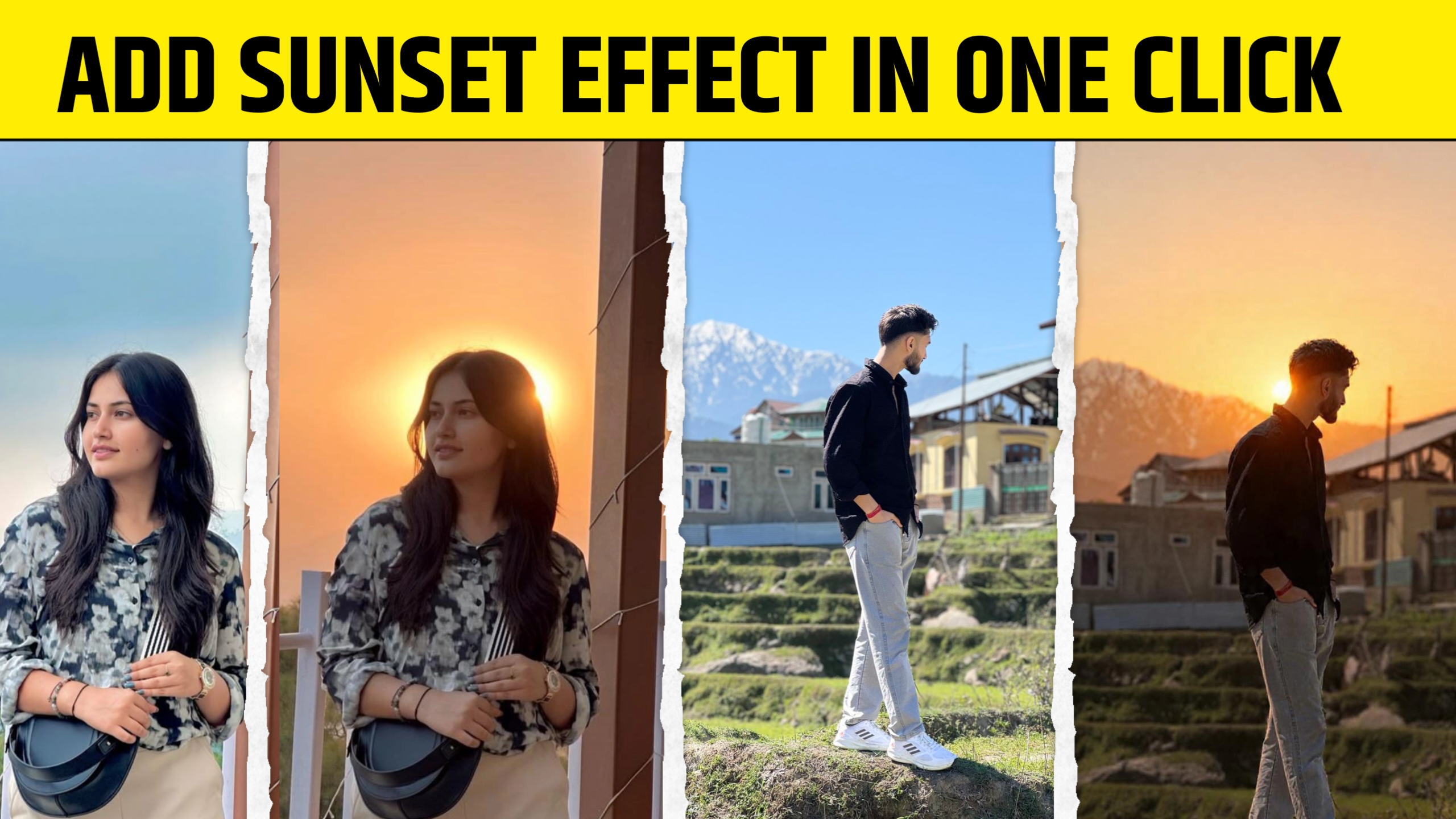
AI photo editing tools are changing the way people edit images. Today, you can transform a simple photo into a professional-looking masterpiece just by writing a good prompt. Whether you want to remove backgrounds, change colors, improve lighting, create cinematic effects, or generate realistic edits, everything depends on one important thing — your prompt.
Many beginners use AI editing tools but fail to get the results they want because they don’t know how to write effective prompts. A small change in wording can completely change the output image.
In this guide, you will learn how to create prompts for photo editing step by step. This article is beginner-friendly, practical, and packed with examples that you can start using immediately.
What Is a Photo Editing Prompt?
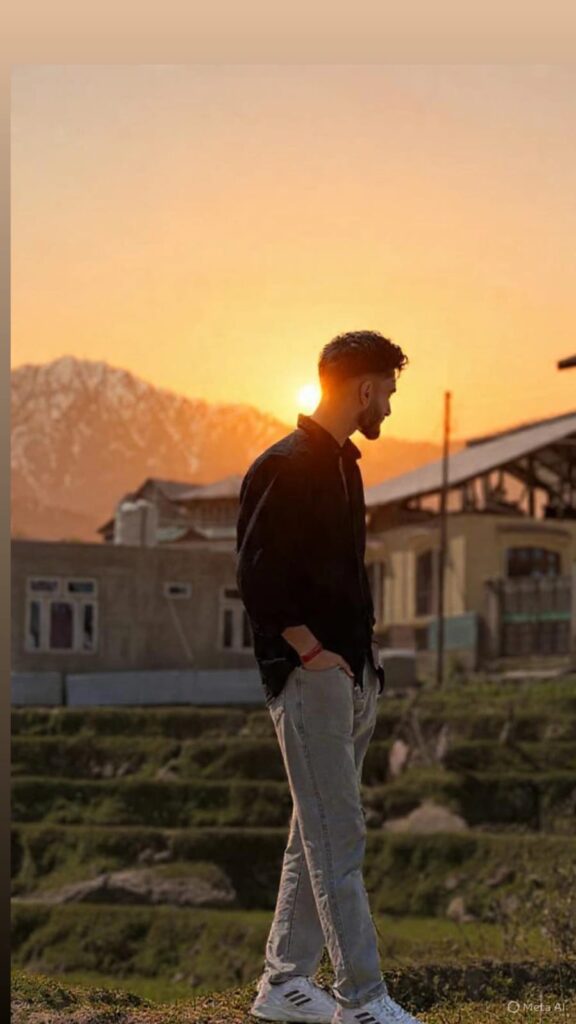
A photo editing prompt is a written instruction that tells an AI tool how to edit an image. It explains what changes you want in the photo.
For example:
- “Remove the background and replace it with a sunset beach.”
- “Make the image cinematic with warm lighting.”
- “Enhance skin texture naturally and sharpen the eyes.”
The AI reads your instructions and edits the image based on your prompt.
Think of prompts as giving directions to a professional editor. The clearer your instructions are, the better the final image will look.
Why Prompts Matter in AI Photo Editing
Most AI tools are powerful, but they are not mind readers. If your prompt is too short or unclear, the output may look strange or low quality.
Good prompts help AI understand:
- What style you want
- What objects to add or remove
- Lighting preferences
- Color tones
- Camera effects
- Background changes
- Mood and atmosphere
A strong prompt can turn an average image into something impressive.
Best AI Tools for Prompt-Based Photo Editing
Before learning prompt writing, it helps to know which tools support AI prompts.
Some popular AI photo editing tools include:
- Adobe Photoshop
- Canva
- PicsArt
- Midjourney
- OpenAI
- Remini
Each tool responds differently to prompts, but the basic prompt-writing principles remain the same.
Basic Structure of a Good Photo Editing Prompt
A good photo editing prompt usually includes these elements:
1. Subject
Mention what the image contains.
Example:
- “A portrait of a young woman”
- “A street photography image”
- “A car parked on a highway”
2. Editing Action
Clearly explain what changes you want.
Examples:
- Remove background
- Increase sharpness
- Add cinematic lighting
- Change outfit color
- Add rain effect
3. Style or Mood
Describe the look and feel.
Examples:
- Cinematic
- Realistic
- Vintage
- Dark moody
- Bright and colorful
4. Lighting Details
Lighting dramatically affects the final result.
Examples:
- Soft golden sunlight
- Neon lighting
- Studio lighting
- Dramatic shadows
5. Quality Enhancements
Add quality instructions for better results.
Examples:
- Ultra HD
- Highly detailed
- Natural skin texture
- Sharp focus
Formula for Writing Better Editing Prompts
A simple formula you can follow is:
Subject + Edit Request + Style + Lighting + Quality
Example:
“Portrait of a man, remove background and replace with futuristic city, cinematic neon lighting, ultra realistic, sharp details, 4K quality.”
This structure works very well for most AI photo editing tools.
Examples of Powerful Photo Editing Prompts
Here are some practical prompt examples you can use.
Portrait Enhancement Prompt
“Enhance this portrait with natural skin retouching, sharp eyes, soft cinematic lighting, realistic texture, DSLR quality.”
Background Change Prompt
“Replace the background with a luxury modern office, maintain realistic shadows and lighting, ultra detailed.”
Cinematic Editing Prompt
“Create a cinematic movie-style look with dramatic lighting, orange and teal color grading, shallow depth of field.”
Social Media Style Prompt
“Make this photo Instagram-worthy with vibrant colors, smooth lighting, trendy aesthetic, and clean background.”
Vintage Style Prompt
“Convert this image into a vintage 90s film photography style with grain, faded colors, and retro lighting.”
Common Mistakes People Make While Writing Prompts
Many beginners make simple mistakes that reduce image quality.
Being Too Vague
Bad Prompt:
“Make it look nice.”
Good Prompt:
“Enhance the image with warm lighting, realistic skin tones, and cinematic color grading.”
Adding Too Many Conflicting Instructions
Bad Prompt:
“Make it dark, bright, colorful, black and white, and realistic cartoon style.”
Confusing prompts lead to poor results.
Ignoring Details
Small details matter in AI editing. Mention things like:
- Camera angle
- Light direction
- Background type
- Facial expressions
- Image quality
Tips to Create Professional-Level Prompts
Keep Prompts Clear and Specific
Avoid unnecessary words. Direct prompts work better.
Use Visual Keywords
Words like these improve output quality:
- Cinematic
- Hyper realistic
- Ultra detailed
- Soft lighting
- HDR
- Professional photography
- DSLR effect
Experiment with Different Variations
Sometimes small wording changes create much better results.
For example:
- “Golden hour lighting”
- “Sunset lighting”
- “Warm evening sunlight”
All three can produce different moods.
Learn From Existing AI Creations
Study prompts shared by creators online. It helps you understand which words generate better visuals.
How Professionals Write AI Editing Prompts
Professional creators usually focus on three things:
1. Precision
They describe exactly what they want.
2. Consistency
They maintain the same style throughout the prompt.
3. Simplicity
Short, clear prompts often outperform long confusing prompts.
Prompt Examples for Different Editing Styles
Fashion Photography Prompt
“High-fashion portrait with studio lighting, luxury magazine look, sharp facial details, elegant color tones.”
Travel Photography Prompt
“Enhance landscape photo with vibrant sky, realistic mountains, dramatic clouds, ultra HD travel photography style.”
Dark Moody Prompt
“Dark moody portrait with deep shadows, cinematic atmosphere, cool tones, realistic skin texture.”
Product Photography Prompt
“Professional product photo with clean white background, soft shadow, commercial lighting, ultra sharp details.”
How to Improve Your Prompt Writing Skills
Like any skill, prompt writing improves with practice.
Here are the best ways to improve:
- Test multiple prompt versions
- Observe AI output carefully
- Save successful prompts
- Study professional examples
- Learn photography basics
Understanding lighting, composition, and color grading can greatly improve your prompts.
The Future of AI Photo Editing
AI editing tools are becoming smarter every year. In the future, prompts may become even more powerful with voice instructions and real-time editing.
Creators, photographers, bloggers, and social media influencers are already using AI editing to save time and improve content quality.
Learning prompt writing today can become a valuable digital skill for the future.
Final Thoughts
Creating prompts for photo editing is easier than most beginners think. The secret is clarity, creativity, and practice. Instead of writing random instructions, focus on describing the exact result you want.
A good prompt should explain:
- What the subject is
- What edits are needed
- Which style you want
- What lighting and mood should look like
- How detailed the final image should be
Once you start experimenting, you’ll quickly learn which words produce the best results.
Whether you are editing portraits, product photos, landscapes, or social media images, mastering prompt writing can help you create stunning visuals with AI tools.