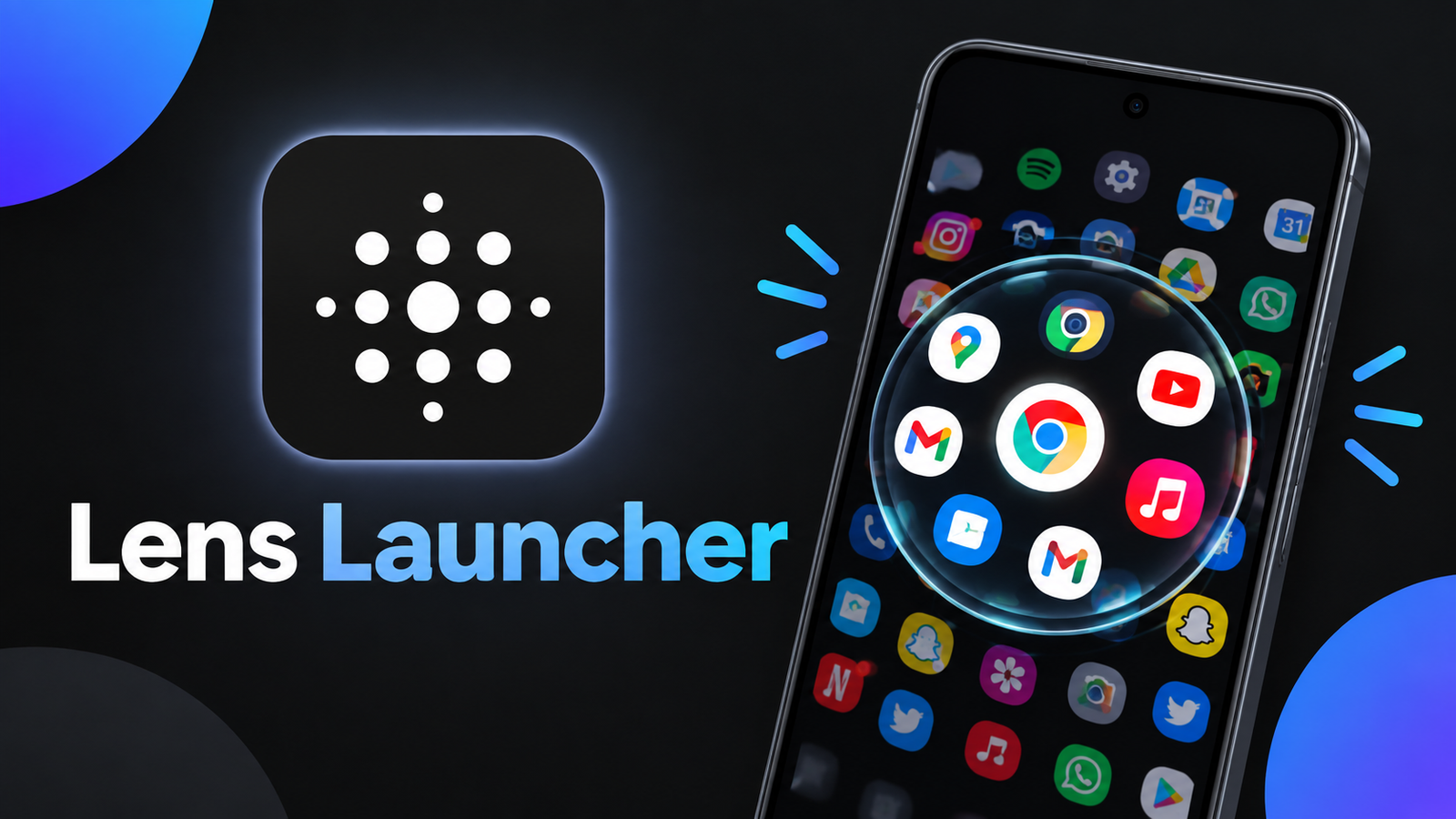
Finding a particular app can become difficult when your Android smartphone has dozens or hundreds of applications installed. Traditional launchers often rely on scrolling through app drawers, searching long lists, or switching between home screen pages.
Lens Launcher offers a different approach to app navigation. Instead of using a conventional app drawer, it displays installed applications in a single interactive grid and uses a graphical fisheye lens effect to make browsing and selecting apps more interesting.
For Android users who enjoy experimenting with unique interfaces and gesture-based navigation, Lens Launcher provides an alternative way to access applications.
Also read: Licowa – Photobooth & Wallpaper Review: AI Photo Editing and Live Wallpaper Tools for Android
What Is Lens Launcher?
Lens Launcher is an Android launcher designed to provide a different experience for browsing and opening installed apps. Its main concept is to bring all your applications into one interactive space instead of dividing them across multiple screens.
The launcher combines two main technologies:
- Equispaced grid for arranging installed applications.
- Graphical fisheye lens for zooming, navigating, and selecting apps.
This combination creates a distinctive interface that looks and behaves differently from a standard Android app drawer.
Rather than focusing on traditional folders, widgets, or multiple home screen pages, Lens Launcher concentrates on making app navigation interactive.
Equispaced Grid Displays Your Installed Apps
One of the main features of Lens Launcher is its equispaced grid layout.
The grid arranges application icons in a structured pattern, allowing users to explore their installed apps within a single interface. This approach is designed to accommodate different screen sizes and varying numbers of applications.
With a conventional launcher, finding an app may require moving between pages or scrolling through a lengthy list. Lens Launcher takes a different route by keeping the app collection together in one space.
This layout can be particularly interesting for people who install many applications and want to experiment with an alternative browsing experience.
However, displaying numerous icons together can initially feel unfamiliar, especially for users who are accustomed to traditional app drawers.
Graphical Fisheye Lens Makes Navigation Interactive
The graphical fisheye lens is the defining feature of Lens Launcher.
The effect works somewhat like a magnifying glass. When you interact with a particular area of the app grid, the icons around your touch point become larger, while the surrounding applications remain visible.
This makes it possible to focus on a specific application without completely hiding the rest of the grid.
The fisheye effect supports interactive navigation, allowing users to move around the app collection and select the icon they want to open.
Instead of switching between separate pages or menus, the launcher uses visual magnification to help users explore the interface.
Touch Gestures for Browsing and Opening Apps
Lens Launcher relies on touch interaction to make its interface work.
Users can move around the application grid, focus on particular areas, and select apps through touch gestures. The magnification effect helps make individual icons easier to identify and interact with.
This approach provides a different experience compared with conventional launchers, where users generally scroll through a list or swipe between screens.
However, the gesture-based interface may take some practice. People who are familiar with standard Android navigation might need time to understand how to move around the grid comfortably.
Once users become familiar with the controls, the launcher offers an unusual way to access their installed applications.
Inspired by Graphical Interface Research
Lens Launcher also has an interesting connection to academic research.
According to its Google Play Store description, the graphical fisheye lens algorithm is based on techniques proposed by Manojit Sarkar and Marc H. Brown in their 1993 research paper, Graphical Fisheye Views.
The research explores ways to display information while allowing users to focus on particular areas without completely losing sight of the surrounding content.
Lens Launcher applies this general concept to Android app navigation, using visual magnification to make a large collection of icons easier to explore interactively.
The project is described as an Android Experiment, written by Nick Rout, with major contributions from Rish Bhardwaj.
This research-inspired foundation makes Lens Launcher an interesting example of how graphical interface concepts can be applied to everyday smartphone use.
Who Should Try Lens Launcher?
Lens Launcher may appeal to Android users who want to try something different from conventional launchers.
It could be useful for:
- Technology enthusiasts: Explore an experimental approach to Android navigation.
- Users with many apps: Browse installed applications within a single interactive grid.
- Gesture navigation fans: Experiment with touch-based controls and graphical magnification.
- Android customization enthusiasts: Try an alternative interface instead of a standard app drawer.
- Curious smartphone users: Experience a launcher inspired by graphical interface research.
On the other hand, users who prefer familiar layouts, traditional folders, and straightforward alphabetical app lists may find the interface less intuitive at first.
Lens Launcher is primarily focused on app navigation rather than providing an extensive collection of conventional customization features.
Things to Consider Before Using Lens Launcher
Although Lens Launcher offers a distinctive approach, its navigation style may not suit every Android user.
Learning the Interface
The fisheye lens and interactive grid work differently from standard app drawers. New users may need some time to understand how to navigate the interface and select applications efficiently.
App Organization
The launcher focuses on displaying applications within a single interactive space. Users who rely heavily on conventional folders or familiar multi-page layouts should consider whether this approach fits their everyday workflow.
Personal Preference
A unique interface does not automatically mean that everyone will find it more convenient. The experience depends on how comfortable you are with gesture-based navigation and visual magnification.
Users who enjoy experimenting with alternative interfaces may appreciate its design, while others may prefer a more traditional launcher.
Final Thoughts
Lens Launcher provides a distinctive alternative to the conventional Android app drawer. Its combination of an equispaced grid and graphical fisheye lens creates an interactive way to browse and launch installed applications.
The magnification effect allows users to focus on individual icons while keeping the surrounding app collection visible. Its connection to the Graphical Fisheye Views research paper also gives the project an interesting background in interface design.
Although its navigation style may require some adjustment, Lens Launcher is worth exploring for Android users who enjoy experimental interfaces and alternative ways of interacting with their smartphones.
If you are curious about moving beyond traditional app drawers, Lens Launcher offers a different approach to discovering and opening your installed apps.
Frequently Asked Questions (FAQs)
1. What is Lens Launcher?
Lens Launcher is an Android launcher that uses an interactive grid and graphical fisheye lens to help users browse and open installed applications.
2. How does Lens Launcher display apps?
It uses an equispaced grid designed to display installed applications within a single interactive space.
3. What is the fisheye lens effect?
The fisheye lens magnifies the area around the user’s touch point, helping make nearby app icons easier to see and select while keeping surrounding icons visible.
4. Does Lens Launcher support touch gestures?
Yes. Touch interaction is central to its navigation, allowing users to move around the grid and select applications.
5. Who developed Lens Launcher?
According to its project description, Lens Launcher was written by Nick Rout, with major contributions from Rish Bhardwaj.
6. What inspired the Lens Launcher interface?
Its graphical fisheye lens approach is based on techniques from the 1993 research paper Graphical Fisheye Views by Manojit Sarkar and Marc H. Brown.
1 thought on “Lens Launcher Review: Explore a Unique Way to Find and Open Android Apps”