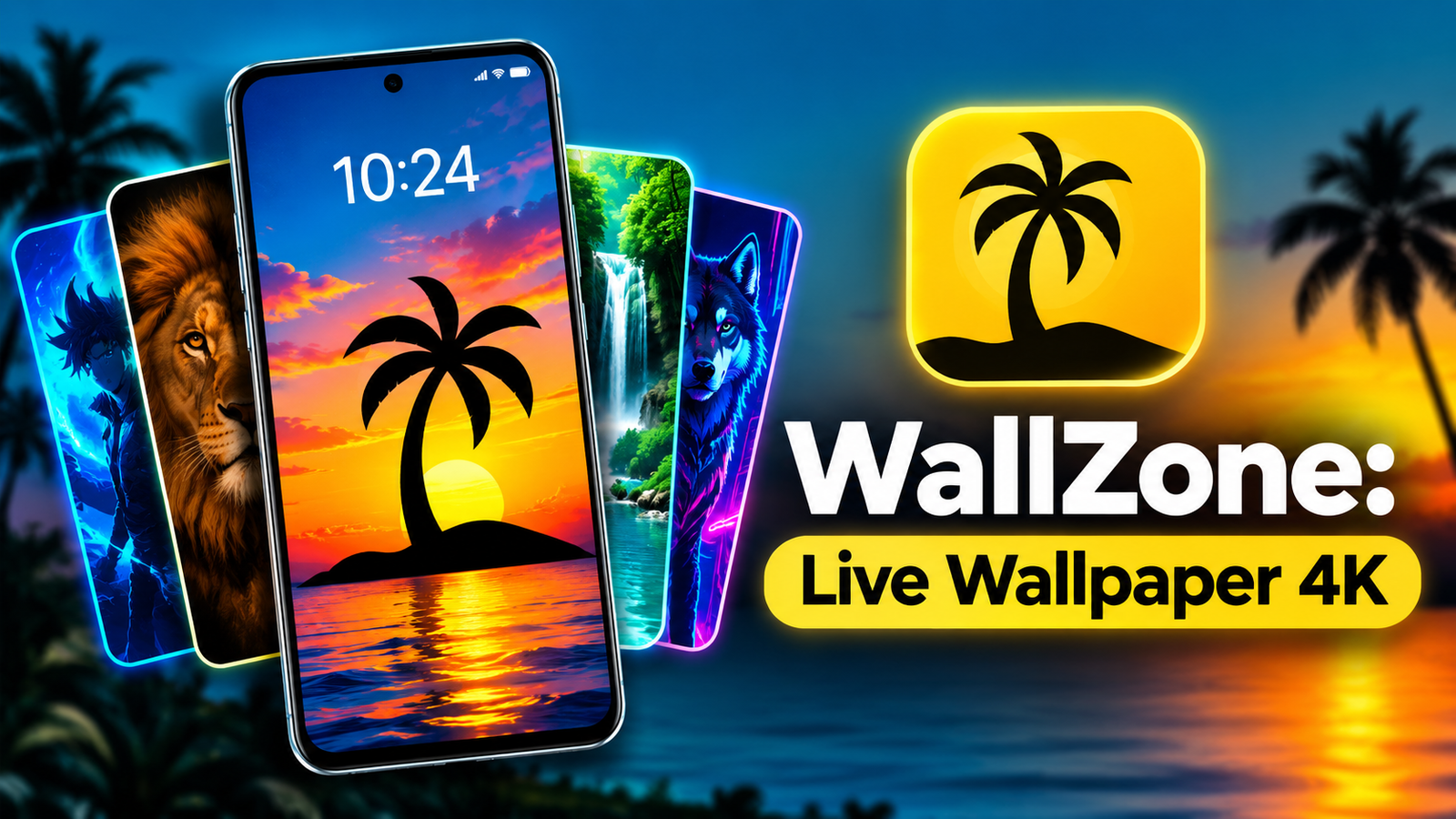
A smartphone’s wallpaper plays an important role in its overall appearance. While static backgrounds look simple and elegant, animated wallpapers can give your device a more dynamic and personalized feel.
For Android users who enjoy experimenting with different backgrounds, WallZone: Live Wallpaper 4K offers a collection of animated designs, including anime characters, nature scenes, animals, and interactive wallpapers. The app is designed to help users customize their home screens and lock screens with moving visuals, colorful effects, and optional sound features.
In this article, we will explore the main features of WallZone, its wallpaper categories, customization options, and things to consider before installing the app.
Also read: Designer Tools Pro: A Useful Android App for Mobile UI Design and Testing
What Is WallZone: Live Wallpaper 4K?
WallZone: Live Wallpaper 4K is an Android wallpaper application that allows users to personalize their smartphones with animated backgrounds.
Unlike traditional wallpaper apps that primarily provide static images, WallZone focuses on moving visuals and interactive designs. Users can browse available wallpapers, preview different styles, and apply their preferred backgrounds to supported devices.
The app includes multiple categories, making it suitable for people with different tastes. Whether you prefer anime-inspired artwork, peaceful landscapes, or colorful animated effects, there are various styles to explore.
Users can also download wallpapers for offline access, allowing them to reuse saved designs without downloading them again.
Explore Multiple Live Wallpaper Categories
One of WallZone’s main attractions is its variety of wallpaper styles. Instead of focusing on a single theme, the app provides different collections for everyday customization.
Here are some of the categories users can explore.
1. Anime Live Wallpapers
Anime-inspired wallpapers are popular among smartphone customization enthusiasts. WallZone includes animated designs featuring anime-style characters and cinematic visuals.
These backgrounds can be useful for users who want their home screen to reflect their interest in anime-inspired artwork.
2. Nature and Landscape Wallpapers
If you prefer peaceful backgrounds, the nature category offers designs inspired by natural scenery.
You may find visuals featuring forests, waterfalls, skies, and landscapes. These styles are suitable for users who want a relaxing appearance without overly colorful or distracting animations.
3. Animal Live Wallpapers
WallZone also includes animated backgrounds featuring animals and pets.
These wallpapers provide an alternative to traditional animal photographs by adding movement and visual effects to the background.
4. Funny Faces and Animated Expressions
For users who enjoy playful customization, the app offers wallpapers featuring funny smiles, animated eyes, and expressive designs.
These backgrounds can give a smartphone a distinctive appearance, particularly for users who like experimenting with unusual wallpaper styles.
5. Voice and Sound Wallpapers
Some wallpapers include sound effects or voice-based features. These designs provide an additional layer of interaction beyond visual animations.
The availability of sound depends on the selected wallpaper and its supported features.
Experience 4K-Style Animated Backgrounds
WallZone highlights high-resolution visuals and 4K HD-style live wallpapers in its app description.
These wallpapers are designed to provide detailed backgrounds with animated elements, vibrant colors, and cinematic effects.
Compared with a standard static image, an animated wallpaper can make the home screen feel more dynamic. However, the actual visual quality depends on the original wallpaper, your phone’s display resolution, and device compatibility.
It is also worth remembering that a wallpaper advertised as 4K does not necessarily mean every device will display it at native 4K resolution.
Interactive Wallpapers With Sound Effects
Another feature that makes WallZone different from basic wallpaper applications is its collection of wallpapers with audio effects.
Supported backgrounds can include voice effects or other sounds that add an interactive element to the wallpaper experience.
According to the app description, users can control the audio and use a double-tap gesture on an empty screen area to mute or enable sound for supported wallpapers.
This feature may appeal to users who enjoy playful smartphone customization.
However, if you prefer a quiet experience, you can keep the sound disabled and continue using the visual effects where supported.
How to Set a Live Wallpaper Using WallZone
Getting started with WallZone is relatively simple. The app is designed to let users browse and apply wallpapers without complicated editing steps.
Follow this general process:
- Install WallZone from the Google Play Store, if available for your device.
- Open the application and explore the available wallpaper categories.
- Select a wallpaper that matches your preferred style.
- Preview the design before applying it.
- Download the wallpaper if required.
- Tap the available option to set it as your wallpaper.
- Choose the home screen, lock screen, or both, depending on your device’s supported options.
The exact steps and available settings may differ depending on your Android version and smartphone manufacturer.
Download Wallpapers for Offline Use
WallZone supports downloading wallpapers for later use.
This is useful if you find a background you particularly like and want to keep using it without repeatedly downloading the same content.
Offline access can also be convenient when you have limited internet connectivity.
Keep in mind that downloading multiple high-resolution wallpapers can use storage space on your phone. It is a good idea to remove saved designs that you no longer need.
Battery Consumption and Performance
One important consideration when using live wallpapers is their effect on battery life.
Unlike static backgrounds, animated wallpapers may require additional processing and display resources. The actual impact depends on several factors, including your phone’s hardware, display settings, animation complexity, and how frequently the wallpaper is active.
WallZone describes its animations as optimized for performance and battery efficiency, but the results may vary between devices.
For a more comfortable experience:
- Choose simpler animations if your phone has limited resources.
- Avoid unnecessarily complex effects if battery life is a priority.
- Monitor battery usage after applying a new wallpaper.
- Use static wallpapers when you want to minimize background activity.
These steps can help you find a balance between visual customization and everyday smartphone performance.
Who Should Try WallZone: Live Wallpaper 4K?
WallZone may be useful for Android users who enjoy changing their smartphone’s appearance regularly.
The app could appeal to:
- Anime fans looking for animated backgrounds.
- Users who prefer moving wallpapers over static images.
- People interested in lock screen customization.
- Android users who enjoy interactive visual effects.
- Anyone looking for nature, animal, or colorful wallpaper themes.
The app description lists support for Android 5.0 and above. However, individual features and performance may vary depending on the device and installed Android version.
Things to Consider Before Installing
Although live wallpaper applications can make a phone look more attractive, there are a few practical points to keep in mind.
Storage usage: High-resolution wallpapers may require additional storage space, especially if you download several designs.
Battery usage: Animated backgrounds can consume more resources than static images, depending on their complexity.
Device compatibility: Certain wallpaper effects or lock screen options may not work identically on every Android smartphone.
Permissions and privacy: Review the permissions requested by the application and check its current Google Play Store information before installation.
Downloading apps from trusted sources and reviewing recent user feedback can also help you make an informed decision.
Final Thoughts
WallZone: Live Wallpaper 4K is an Android customization app that brings together animated backgrounds, anime-inspired designs, nature scenes, animal wallpapers, and interactive sound effects.
Its variety of wallpaper categories, preview options, and offline download support makes it a convenient option for users who enjoy regularly refreshing their smartphone’s appearance.
While battery consumption and compatibility can vary between devices, WallZone offers several creative choices for personalizing supported Android home screens and lock screens.
If you enjoy animated backgrounds and want to give your smartphone a different look, WallZone is an app worth exploring.
Frequently Asked Questions (FAQs)
1. What is WallZone: Live Wallpaper 4K?
WallZone is an Android application that provides animated wallpapers and customization options for compatible smartphones.
2. Does WallZone offer 4K wallpapers?
The app description highlights 4K HD-style wallpapers and cinematic visuals. Actual display quality depends on the wallpaper and your device’s screen resolution.
3. Can I use wallpapers with sound?
Yes, selected wallpapers include sound effects or voice features. Audio availability depends on the particular wallpaper.
4. Can I use WallZone wallpapers offline?
Yes. The app supports offline access to wallpapers after they have been downloaded.
5. Does WallZone support the lock screen?
The app description includes home screen and lock screen customization for supported Android devices. Available options may vary by device.
6. Which Android version is required?
WallZone lists Android 5.0 and above as supported. Check the current app listing for the latest compatibility requirements.
1 thought on “WallZone: Live Wallpaper 4K – Customize Your Android With Stunning Animated Wallpapers”